From Copy-Paste Hell to One-Click Magic: How I Vibecoded an AI-Powered Anki Flashcard Generator
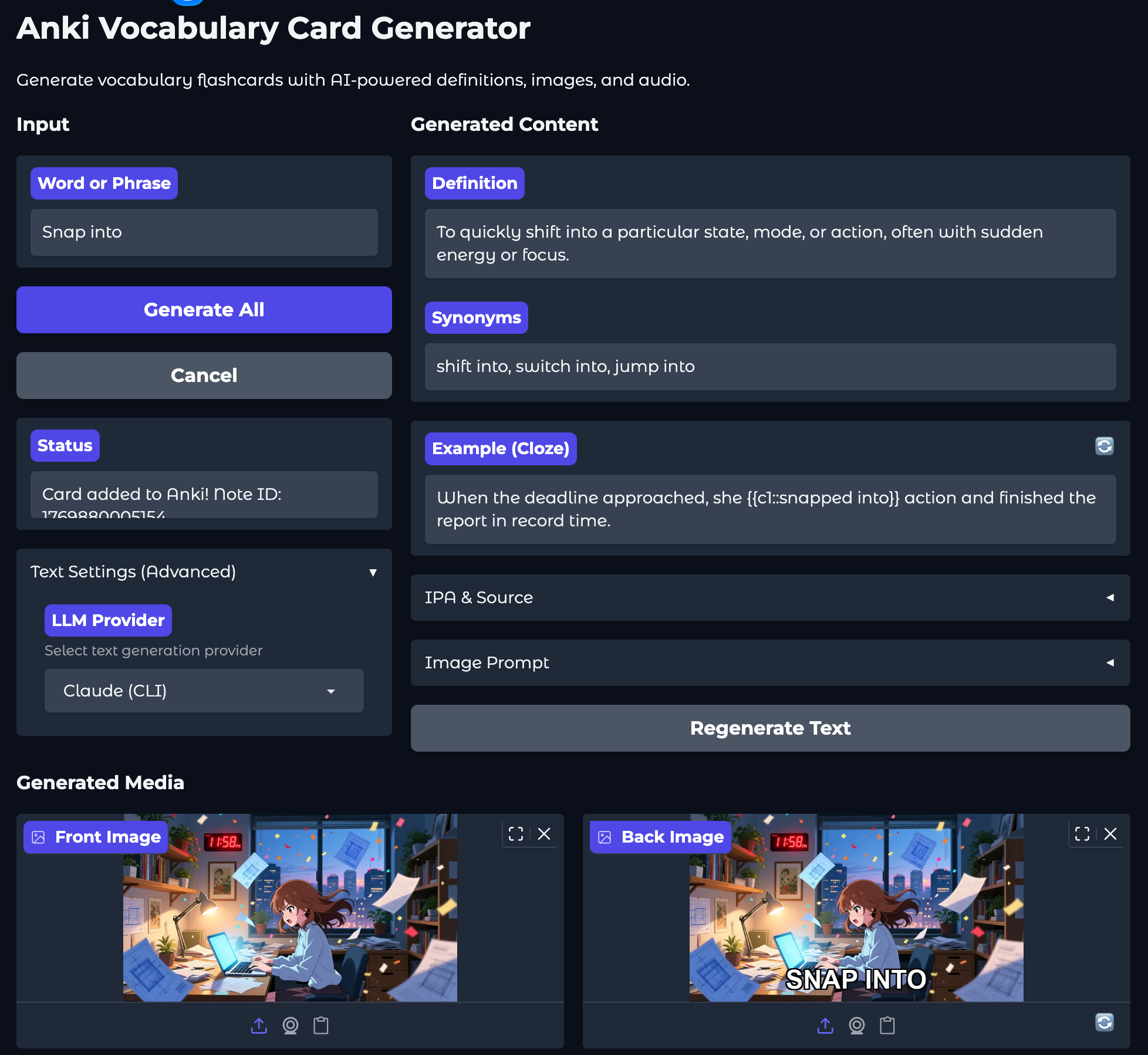
Learning English vocabulary with Anki has been part of my routine for years. But creating quality flashcards? That was a nightmare. Until I decided to vibecode my way out of it.
The Problem: Copy-Paste Hell
Before this app existed, creating a single vocabulary card meant:
- Ask ChatGPT for a definition using Cambridge Dictionary style
- Copy the definition, synonyms, and example sentences
- Generate an image with DALL-E or another service
- Download the image and add the word as overlay text
- Copy SSML markup that ChatGPT generated
- Paste it into ElevenLabs to generate audio
- Download the audio file
- Manually add everything to Anki
For ONE card. Now multiply that by hundreds of words.
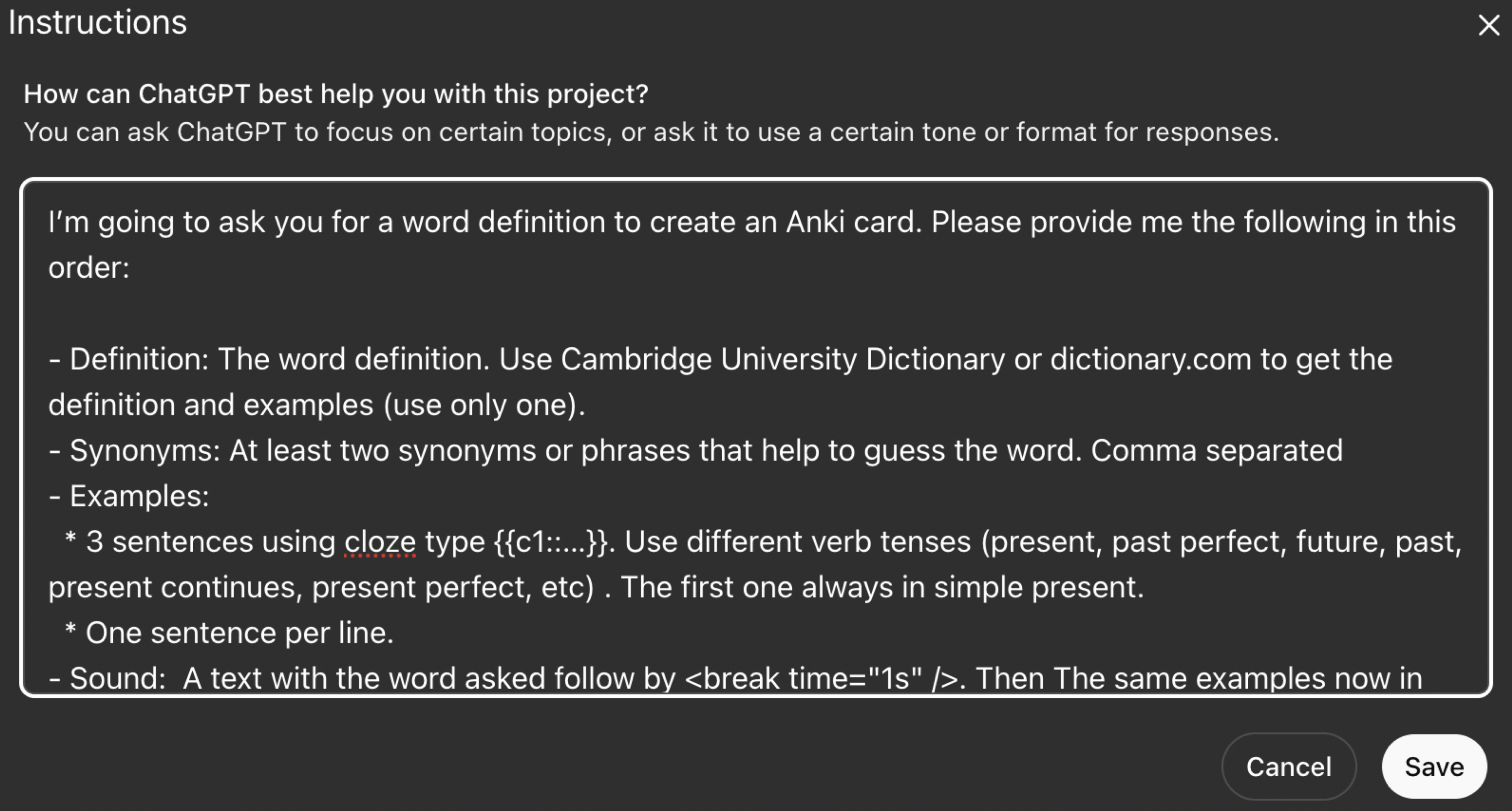
Here’s what my ChatGPT project instructions looked like—a detailed prompt asking for definitions, cloze examples, SSML markup, and image descriptions:
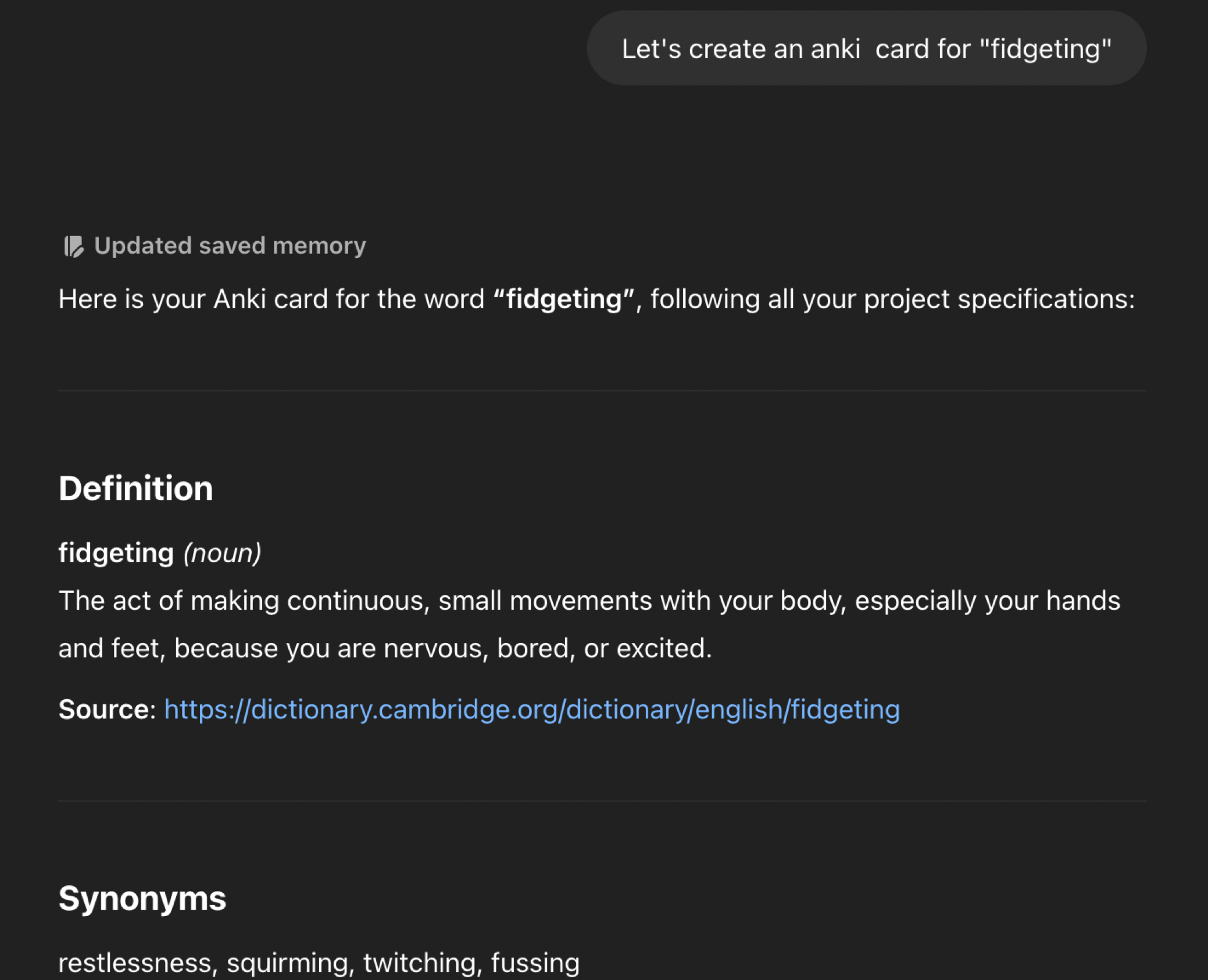
And the generated SSML that I had to manually paste into ElevenLabs:
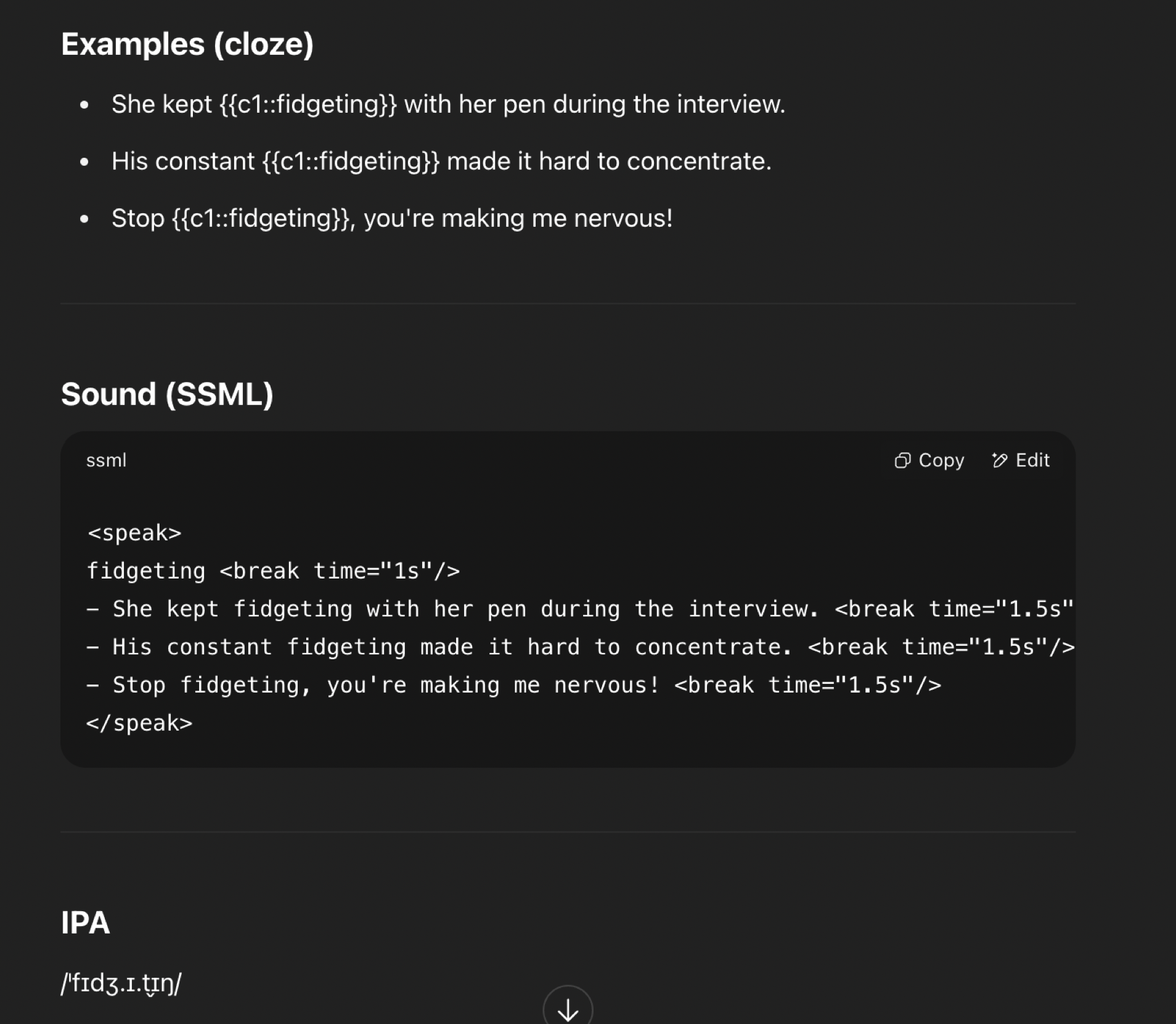
The whole process took 5-10 minutes per card. It was exhausting.
The Spark: Chatterbox TTS
One day, someone mentioned Chatterbox—an open-source TTS model from Resemble AI that runs locally. Free. Unlimited. With voice cloning.
That got me thinking: What if I could automate the entire process?
So I started vibecoding.
What is Vibecoding?
Vibecoding is building software by describing what you want to an AI coding assistant and letting it write the code. You guide the “vibe” of what you want, iterate on the results, and end up with working software—often without writing much code yourself.
I used Claude Code (Anthropic’s CLI tool) to build this entire app. The process was conversational: I described features, Claude wrote the code, I tested it, and we iterated.
The Result: One-Click Flashcard Generation
Now, creating a card looks like this:
- Type a word or phrase
- Click “Generate All”
- Done.
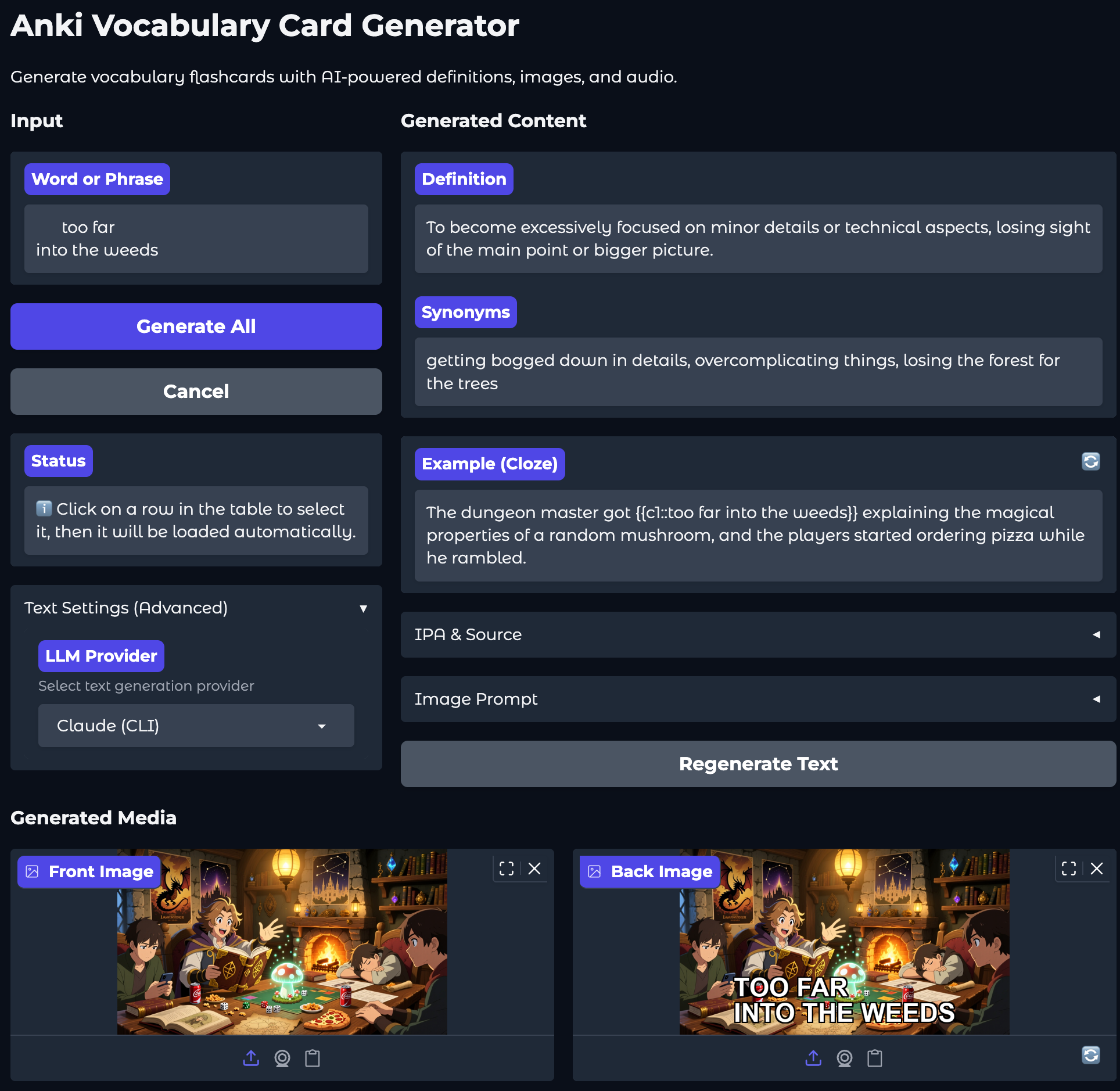
The app automatically:
- Generates a definition using Cambridge Dictionary style
- Creates a cloze example with proper markup
- Produces an image prompt describing the example scene
- Generates an anime-style image from the prompt
- Adds text overlay with the phrase
- Creates audio with natural pauses using SSML
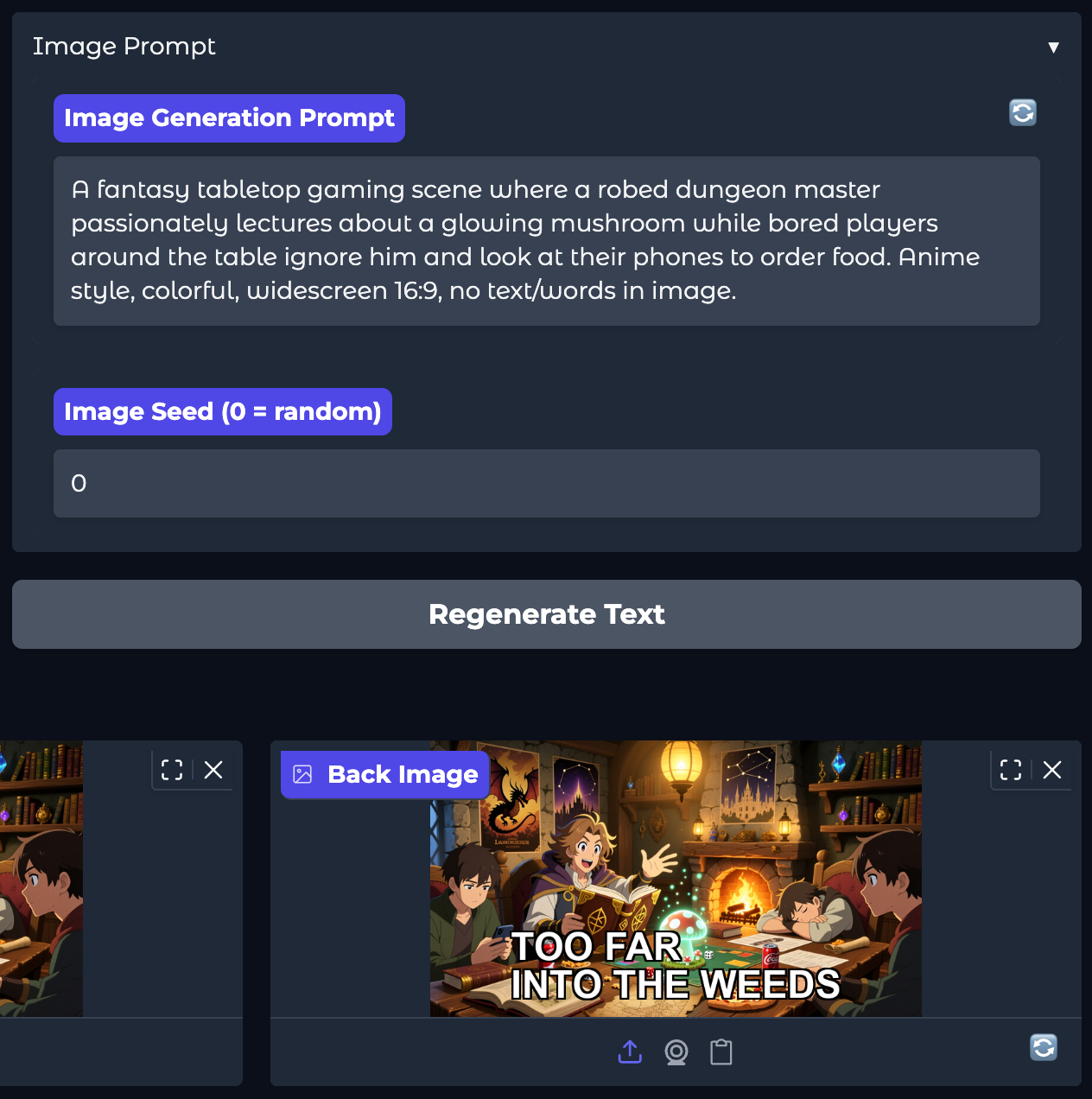
And the final card in Anki:
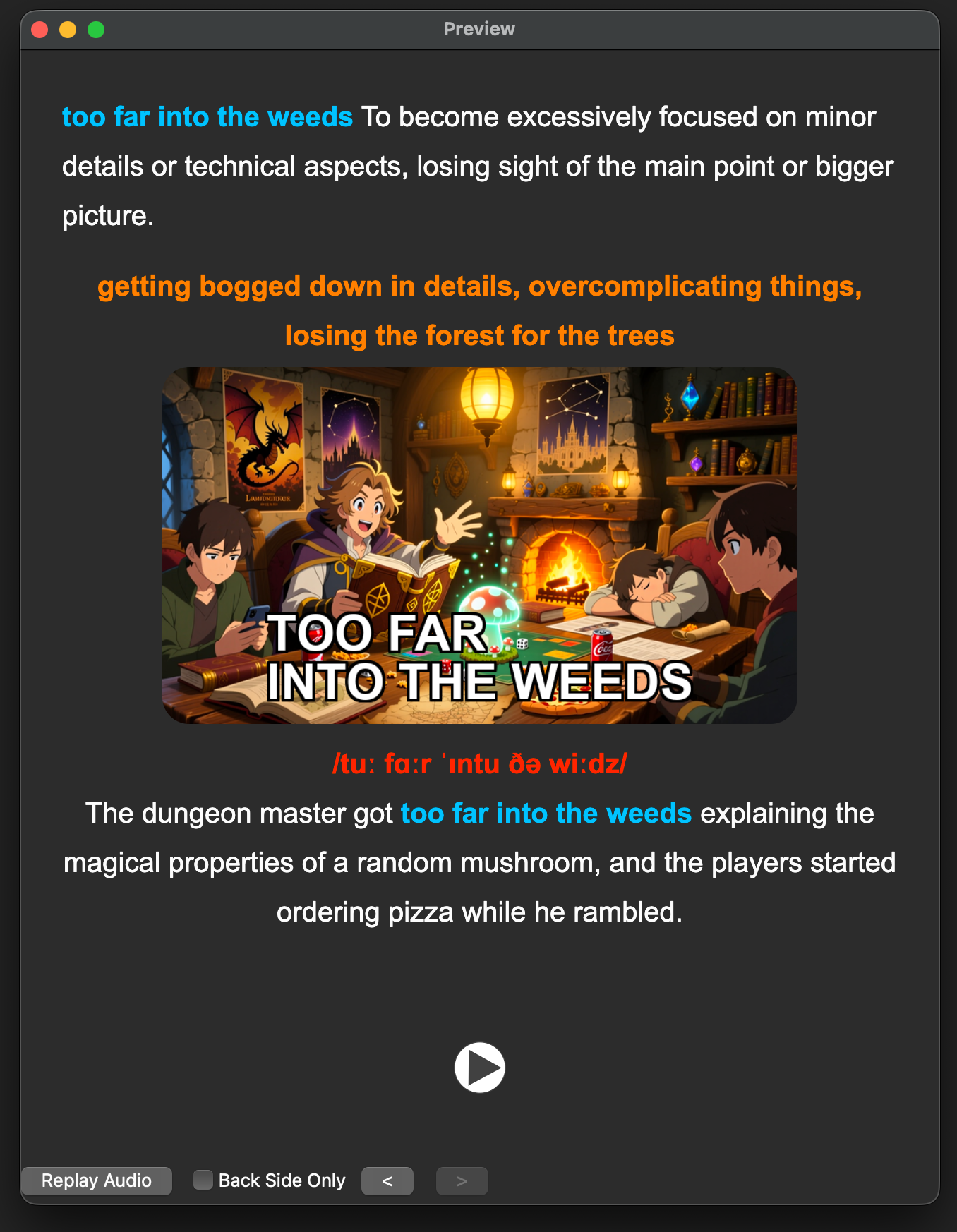
How It Works: Prompt Engineering on Foundation Models
The magic is prompt engineering—crafting specific instructions that foundation models follow to produce consistent, high-quality outputs.
Text Generation (Multiple LLM Providers)
The app supports several LLM providers:
| Provider | Model | How It’s Called |
|---|---|---|
| Anthropic | Claude | claude -p CLI |
| Gemini | Via MCP integration | |
| OpenAI | Codex/GPT | codex exec CLI |
| Ollama | Mistral, Llama, etc. | Local API |
Behind the scenes, when you click “Generate All”, the app runs something like:
result = subprocess.run(
    ["claude", "-p", prompt, "--no-session-persistence"],
    capture_output=True,
    text=True,
    timeout=self.timeout
)
The prompt itself is carefully engineered:
system_prompt: |
  You are a vocabulary expert creating English learning flashcards.
  You always respond with valid JSON matching the exact schema requested.

  CRITICAL FOR EXAMPLES:
  - Each example MUST correctly demonstrate the definition's meaning
  - For IDIOMS: Use the FIGURATIVE meaning, not the literal meaning
  - Test: "Would a native English speaker use this phrase exactly this way?"
Image Generation (Multiple Providers)
The app generates an image prompt, then sends it to your chosen provider:
| Provider | Model | Cost |
|---|---|---|
| Pollinations.ai | FLUX | Free |
| Alibaba | Qwen | ~$0.015/img |
| OpenAI | DALL-E 3 | ~$0.04/img |
| Imagen | ~$0.02/img | |
| Stability AI | SDXL | ~$0.002/img |
| Local | Stable Diffusion | Free |
Audio Generation (TTS Providers)
For audio, you can choose between:
| Provider | Model | Cost |
|---|---|---|
| Chatterbox | Local TTS | Free |
| ElevenLabs | Eleven Multilingual v2 | Per character |
The app handles SSML parsing, pause timing, and audio normalization automatically.
audio_generator = self.client.text_to_speech.convert(
    text=processed_text,
    voice_id=voice_id,
    model_id="eleven_multilingual_v2",
    voice_settings=voice_settings,
)
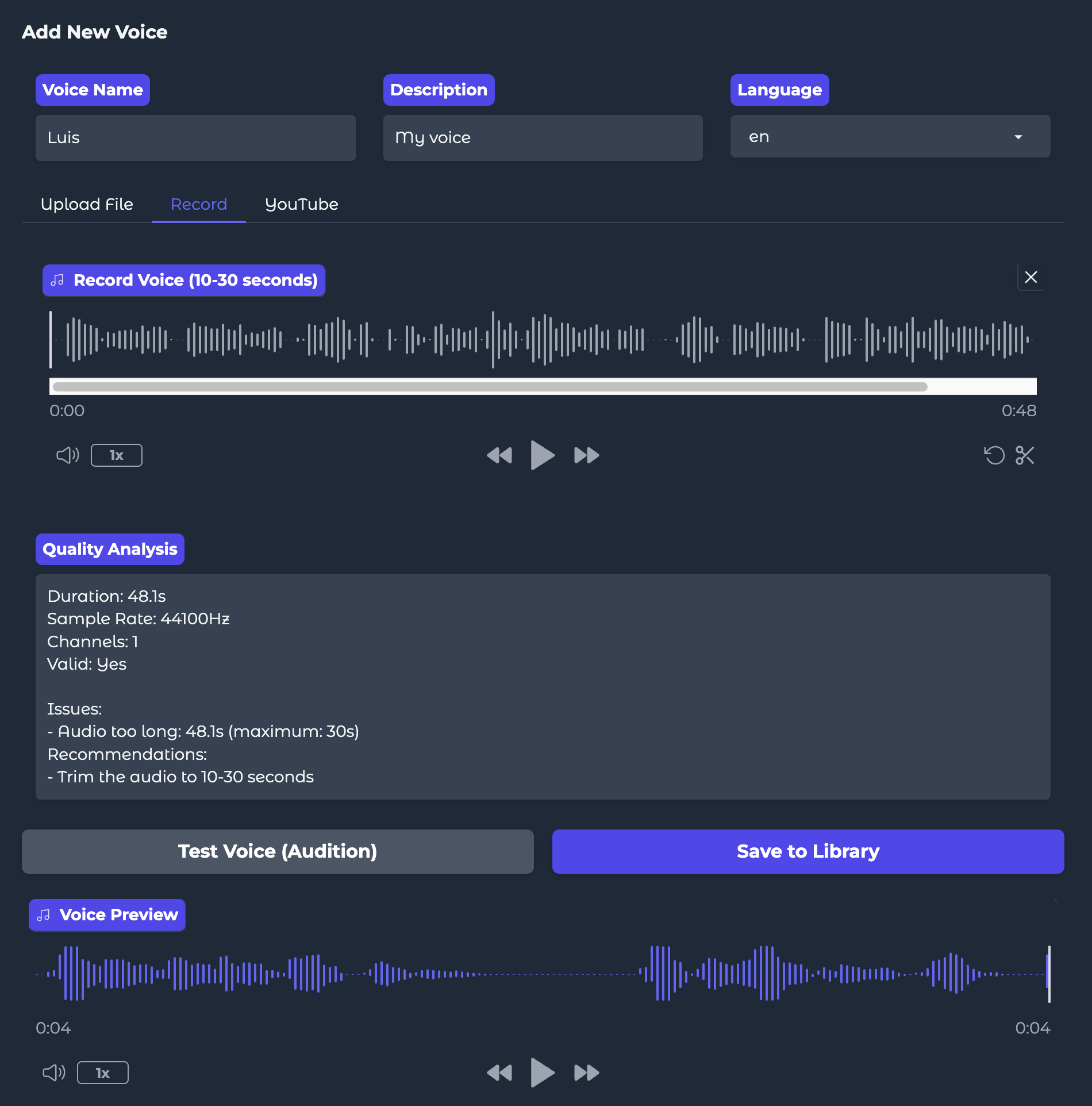
Bonus: Custom Voice Cloning
Want to learn with a familiar voice? The app supports voice cloning using Chatterbox. You can:
- Record your own voice (or a friend’s with permission)
- Upload an audio file as a reference sample
- Extract audio from YouTube for royalty-free content or personal samples
- Generate all your flashcards with that custom voice
The app even analyzes audio quality and recommends optimal clip length (10-30 seconds) for best results.
What About Anki?
Anki is a free, open-source flashcard app that uses Spaced Repetition System (SRS) to optimize learning. Based on the forgetting curve research by Hermann Ebbinghaus, SRS shows you cards just before you’re about to forget them.
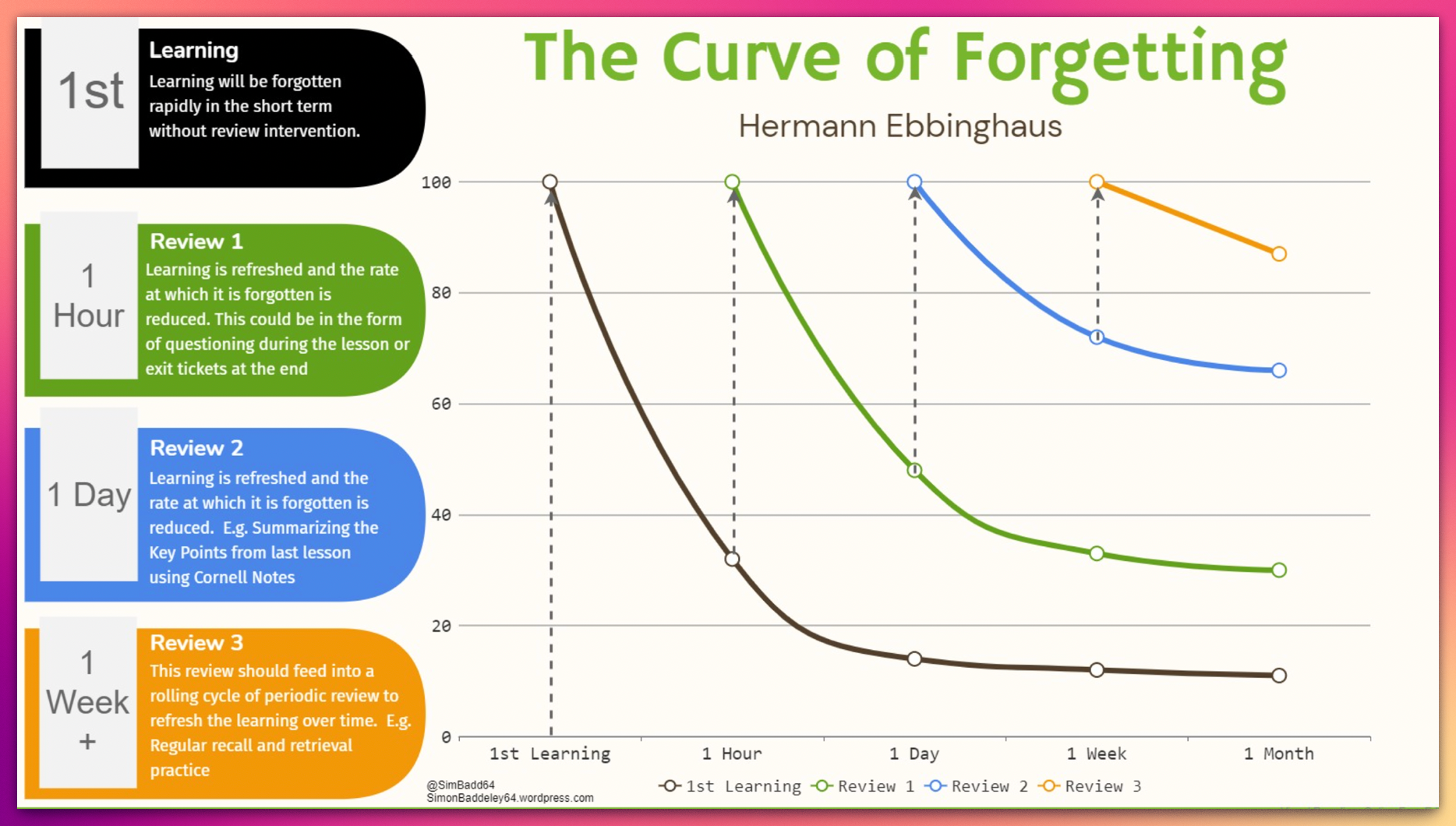
The app connects directly to Anki via AnkiConnect, so cards are added with one click—no manual import needed.
Foundation Models Summary
Here’s what powers the app:
| Provider | Model | Type |
|---|---|---|
| Anthropic | Claude (via CLI) | Text/LLM |
| Gemini (via MCP) | Text/LLM | |
| OpenAI | Codex/GPT (via CLI) | Text/LLM |
| OpenAI | DALL-E 3 | Image |
| Imagen | Image | |
| Stability AI | Stable Diffusion XL | Image |
| Alibaba | Qwen (DashScope) | Image |
| Pollinations.ai | FLUX | Image (Free) |
| Hugging Face | Stable Diffusion v1.5 | Image (Local) |
| Hugging Face | Chatterbox (Resemble AI) | TTS (Local) |
| ElevenLabs | Eleven Multilingual v2 | TTS |
Conclusion
What used to take 5-10 minutes per card now takes 10 seconds. And the quality is better because the prompts are refined and consistent.
This project is a perfect example of what’s possible when you combine:
- Prompt engineering to guide AI behavior
- Foundation models from multiple providers
- Vibecoding to build the app itself
- Local and cloud tools like Gradio, Chatterbox, and AnkiConnect
The future of personal productivity tools is building exactly what you need, with AI as your coding partner.
Have questions or want to discuss AI-powered learning tools? Feel free to reach out on LinkedIn.