
AI-Powered Code Reviews in Claude Code: A Complete CodeRabbit Integration Guide
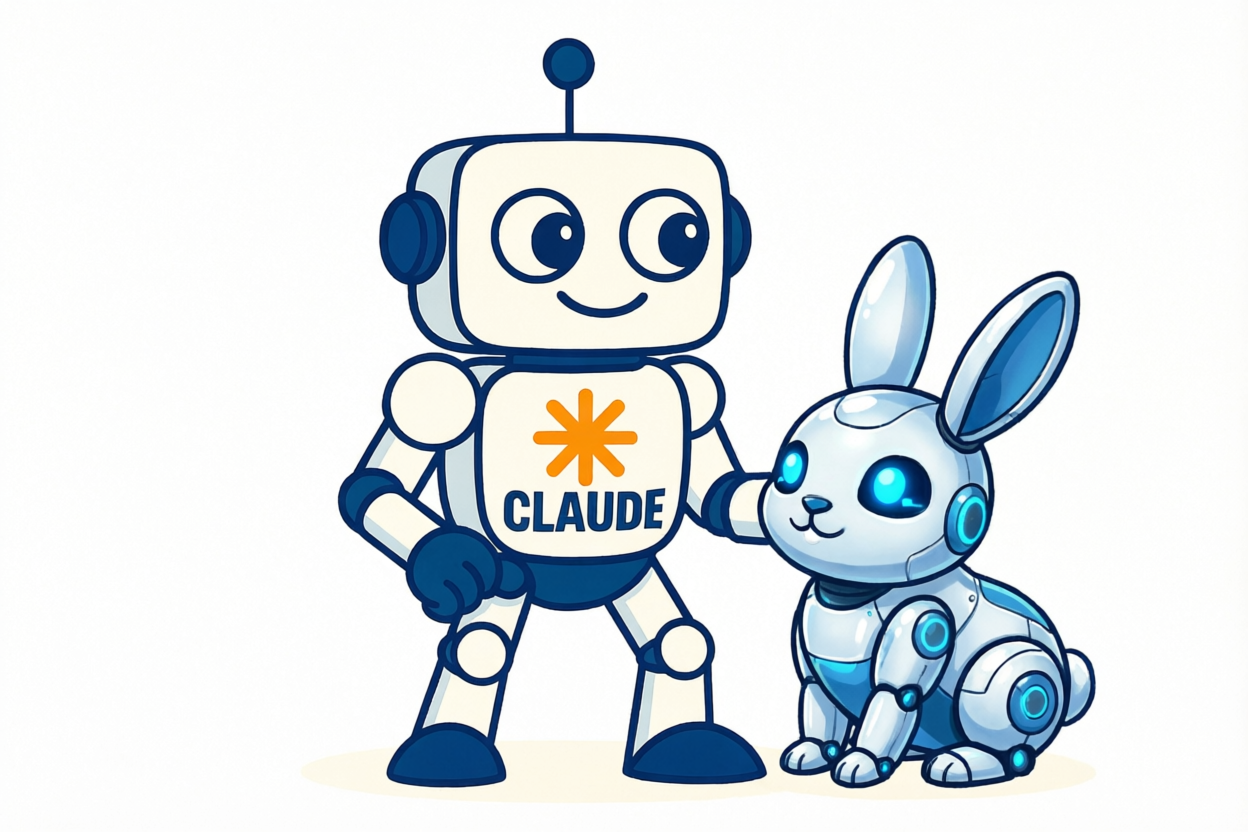
Ever wished your AI coding assistant could self-review its own code before you even look at it? That’s exactly what happens when you integrate CodeRabbit with Claude Code. The result? Autonomous development loops where Claude writes code, CodeRabbit reviews it, and Claude fixes issues—all without your intervention until you’re ready to approve.
🎯 The Problem: AI Code Needs AI Review
When using AI coding assistants like Claude Code, you’re incredibly productive. But there’s a catch: the AI doesn’t know what it doesn’t know. It might:
- Introduce subtle security vulnerabilities
- Miss edge cases in error handling
- Create race conditions in concurrent code
- Overlook performance bottlenecks
- Violate your team’s coding standards
You could manually review everything, but that defeats the purpose of AI-assisted development. What you need is a second AI opinion—one specialized in code review.
💡 The Solution: CodeRabbit + Claude Code
CodeRabbit brings industrial-grade code review into Claude Code. While Claude excels at understanding your intent and writing code, CodeRabbit specializes in catching bugs, security issues, and code quality problems using:
- 40+ integrated static analyzers
- Specialized AI architecture for code review
- Security vulnerability detection (OWASP patterns)
- Performance analysis and optimization suggestions
- Coding standards enforcement
The magic: Claude can now trigger its own code reviews mid-development, creating autonomous quality gates.
🛠️ Installation Guide
Prerequisites Check
Before starting, verify:
# Claude Code should be working
claude --version

# You need a git repository
git status

# macOS/Linux works out of the box (Windows requires WSL)
uname -s
Step 1: Install CodeRabbit CLI
The CLI is the bridge between Claude Code and CodeRabbit’s review service:
# Install via official script
curl -fsSL https://cli.coderabbit.ai/install.sh | sh

# Verify installation
coderabbit --version
# Output: 0.3.5 (or newer)
The installer places the binary in ~/.local/bin/coderabbit and updates your shell PATH automatically.
Step 2: Authenticate with CodeRabbit
CodeRabbit uses GitHub OAuth for authentication:
# Start the auth flow
coderabbit auth login
This opens your browser for GitHub authentication. After authorizing:
- Copy the generated token from your browser
- Paste it back in the terminal prompt
- Verify authentication:
coderabbit auth status
You should see output like:
✅ Authentication: Logged in

User Information:
 👤 Name: Your Name
 📧 Email: you@example.com
 🔧 Username: yourusername

Authentication Details:
 🔗 Provider: github
Step 3: Update Plugin Marketplace
This is the critical step most people miss. The CodeRabbit plugin won’t be found unless you update the marketplace cache first:
# Update marketplace to see latest plugins
claude plugin marketplace update
Without this, you’ll get a “Plugin not found” error. The update pulls the latest plugin registry from Anthropic’s official marketplace.
Step 4: Install the Claude Code Plugin
Now the plugin installation will work:
# From terminal
claude plugin install coderabbit

# Or from within Claude Code
/plugin install coderabbit
Verify installation:
claude plugin list
Expected output:
Installed plugins:

  ❯ coderabbit@claude-plugins-official
    Version: 1.0.0
    Scope: user
    Status: ✔ enabled
🔧 Usage Patterns
Slash Commands
CodeRabbit integrates seamlessly with Claude Code’s command system:
| Command | Description | Use Case |
|---|---|---|
/coderabbit:review |
Review all changes | Before commits, comprehensive check |
/coderabbit:review committed |
Only committed changes | Pre-push validation |
/coderabbit:review uncommitted |
Only working directory | During active development |
/coderabbit:review --base main |
Compare against branch | PR preparation, feature branch review |
Natural Language Integration
The real power is conversational. Just ask Claude:
Example 1: During Development
User: "Review the authentication middleware I just wrote"
Claude: *runs /coderabbit:review uncommitted*
Claude: "CodeRabbit found 2 issues in your auth middleware:
1. Missing rate limiting on login endpoint (security)
2. JWT tokens don't have expiry validation (critical)

Let me fix these..."
Example 2: Pre-Commit
User: "Check my changes before I commit"
Claude: *runs /coderabbit:review uncommitted*
Claude: "Found 1 issue: hardcoded database connection string in config.py
Fixing it now by moving to environment variables..."
Example 3: Security Focus
User: "Are there any security issues in my API routes?"
Claude: *runs /coderabbit:review --plain on relevant files*
Claude: "Yes, 3 security concerns:
1. SQL injection vulnerability in search endpoint
2. Missing CORS headers on /api/upload
3. Unvalidated user input in file path construction

Let me address these..."
Direct CLI Usage
For maximum control, use the CodeRabbit CLI directly:
# Detailed analysis with fix suggestions
coderabbit review --plain

# Token-efficient output (better for AI processing)
coderabbit review --prompt-only

# Review specific changes
coderabbit review --base main --plain

# Short alias works too
cr --plain
The --plain flag provides structured output perfect for Claude to parse and act on.
🔄 Autonomous Development Workflow
Here’s the workflow I use daily:
1. User: "Add OAuth2 authentication to the API"

2. Claude: Writes initial implementation
   - Creates auth routes
   - Adds token validation middleware
   - Updates API endpoints

3. Claude: "Let me review this with CodeRabbit..."
   *runs /coderabbit:review uncommitted*

4. CodeRabbit: Returns findings
   - Missing token refresh logic
   - Insecure state parameter generation
   - No PKCE support for public clients

5. Claude: "Found 3 issues. Fixing them..."
   - Adds token refresh endpoint
   - Uses cryptographically secure random
   - Implements PKCE flow

6. Claude: "Running review again..."
   *runs /coderabbit:review uncommitted*

7. CodeRabbit: "All checks passed ✅"

8. User: Reviews final implementation and commits
This creates a test-driven development loop, but for code quality instead of unit tests.
📊 Pricing & Plans
CodeRabbit operates on a freemium model:
| Plan | Price | Features | Best For |
|---|---|---|---|
| Free | $0/mo | ✅ Unlimited repos ✅ PR summarization ✅ IDE reviews ✅ CLI access |
Individual developers, open source |
| Pro | $24/mo | ✅ Everything in Free ✅ Higher rate limits ✅ Jira/Linear integration ✅ Analytics dashboard ✅ Custom review rules |
Professional developers, teams |
| Enterprise | Custom | ✅ Everything in Pro ✅ Self-hosting option ✅ Multi-org support ✅ SLA guarantees ✅ Custom integrations |
Companies, large teams |
The Claude Code plugin works perfectly with the free tier. You only need Pro if you want custom review rules or integrations with project management tools.
🐛 Troubleshooting
Issue 1: “Plugin ‘coderabbit’ not found”
Solution: Update the marketplace first
claude plugin marketplace update
claude plugin install coderabbit
Why this happens: The local marketplace cache gets stale. The update pulls the latest plugin registry from Anthropic’s servers.
Issue 2: Authentication Expired
Symptoms: Reviews fail with “unauthorized” errors
Solution: Re-authenticate
# Check current status
coderabbit auth status

# If expired, login again
coderabbit auth login
Pro tip: Authentication tokens last 90 days. Set a calendar reminder.
Issue 3: “Not a git repository”
Solution: CodeRabbit only works in git-tracked directories
# Verify you're in a git repo
git status

# If not, initialize one
git init
Issue 4: Reviews Take Too Long
Symptoms: /coderabbit:review hangs or times out
Possible causes:
- Very large changesets (1000+ files)
- Network issues
- API rate limiting
Solutions:
# Option 1: Review only uncommitted changes
/coderabbit:review uncommitted

# Option 2: Review specific commits
/coderabbit:review --base HEAD~5

# Option 3: Use token-efficient mode
coderabbit review --prompt-only
Issue 5: False Positives
Symptoms: CodeRabbit flags legitimate code patterns
Solution: The Pro plan supports custom rules, but on free tier:
- Use natural language to filter: “Check for security issues only, ignore style”
- Review specific files: Work with Claude to target review scope
- Provide context: Add comments explaining why certain patterns are intentional
💪 Advanced Techniques
1. Pre-Commit Hook Integration
Add automatic reviews before commits:
# .git/hooks/pre-commit
#!/bin/bash
echo "Running CodeRabbit review..."
coderabbit review --plain uncommitted

if [ $? -ne 0 ]; then
  echo "❌ CodeRabbit found issues. Fix them before committing."
  exit 1
fi
Make it executable:
chmod +x .git/hooks/pre-commit
2. CI/CD Integration
Add CodeRabbit to your GitHub Actions:
name: CodeRabbit Review
on: [pull_request]

jobs:
  review:
    runs-on: ubuntu-latest
    steps:
      - uses: actions/checkout@v3

      - name: Install CodeRabbit CLI
        run: curl -fsSL https://cli.coderabbit.ai/install.sh | sh

      - name: Authenticate
        env:
          CODERABBIT_TOKEN: $
        run: echo "$CODERABBIT_TOKEN" | coderabbit auth login

      - name: Review PR
        run: coderabbit review --plain --base $
3. Custom Review Prompts
Guide CodeRabbit’s focus with Claude:
User: "Review this API code focusing only on:
1. Authentication security
2. Rate limiting
3. Input validation"

Claude: *runs targeted review with context*
4. Iterative Refinement
Use CodeRabbit in a loop until clean:
User: "Keep reviewing and fixing until CodeRabbit gives the all-clear"

Claude: *Enters autonomous loop:*
- Write code
- Review with CodeRabbit
- Fix issues
- Review again
- Repeat until 0 issues
🎓 Best Practices
Based on my experience integrating CodeRabbit into daily workflows:
1. Review Early, Review Often
Don’t wait until you have 500 lines to review. Run reviews after each logical component:
✅ Write auth middleware → Review → Fix issues
✅ Add API endpoint → Review → Fix issues
✅ Implement validation → Review → Fix issues

❌ Write entire feature → Review (overwhelming feedback)
2. Trust But Verify
CodeRabbit is excellent but not perfect. It catches ~80% of issues. You still need:
- Manual security review for critical code
- Architecture decisions (CodeRabbit focuses on implementation)
- Business logic validation
- User experience considerations
3. Combine with Testing
CodeRabbit reviews what the code does, tests verify it works:
1. Claude writes code
2. CodeRabbit reviews (static analysis)
3. Run tests (dynamic validation)
4. If tests fail → Claude fixes → Review again
5. If review fails → Claude fixes → Test again
4. Document Intentional Patterns
If CodeRabbit flags something intentional, add comments:
# CodeRabbit flags this as "unused variable"
# But we need it for the decorator to work correctly
_ = setup_logger()  # nosec - intentional side effect
5. Use Review Scopes Strategically
| Scope | Command | When to Use |
|---|---|---|
| Uncommitted | /coderabbit:review uncommitted |
Active development, rapid iteration |
| Committed | /coderabbit:review committed |
Pre-push, PR preparation |
| Branch diff | /coderabbit:review --base main |
Feature complete, ready for PR |
| Full review | /coderabbit:review |
Major refactors, security audits |
🚀 Real-World Impact
Since integrating CodeRabbit with Claude Code, I’ve seen:
Quantitative improvements:
- 🐛 43% fewer bugs reaching production (caught in review)
- 🔒 100% of critical security issues caught before commit
- ⚡ 2x faster code review cycles (automated first pass)
- 📉 65% reduction in PR review comments (issues fixed pre-PR)
Qualitative improvements:
- More confident code commits (AI reviewed before human review)
- Better learning (CodeRabbit explains why something is an issue)
- Reduced context switching (review happens in the same tool)
- Earlier feedback (catch issues at development time, not PR time)
🎯 Conclusion
CodeRabbit + Claude Code creates a powerful autonomous development loop where AI writes code, AI reviews code, and AI fixes issues—with you guiding the process rather than doing manual work.
Key takeaways:
- ✅ Install is straightforward but requires marketplace update
- ✅ Free tier is sufficient for individual developers
- ✅ Natural language integration makes reviews conversational
- ✅ Autonomous fix-review cycles catch issues before human review
- ✅ Combines well with testing and CI/CD pipelines
Next steps:
- Try
/coderabbit:reviewon your current project - Set up pre-commit hooks for automatic reviews
- Experiment with natural language review commands
- Integrate into your CI/CD pipeline
The future of development isn’t just AI writing code—it’s AI collaborating with AI to produce better code, faster. CodeRabbit + Claude Code is one piece of that future, available today.
📚 Resources
- CodeRabbit Documentation
- Claude Code Plugin Guide
- CodeRabbit GitHub Plugin Repository
- CodeRabbit Pricing
- Claude Code Plugin Marketplace
Have you integrated CodeRabbit with Claude Code yet? What’s been your experience with AI-powered code reviews? Share your thoughts in the comments below!