
AI Flashcards While You Read: Building a KOReader Plugin for Anki
After building my Anki Vocabulary Card Generator, the natural next step was: what if I could do the same thing directly on my Kobo while I’m reading?
The Idea
When I read in English, I highlight phrases I don’t know—especially phrasal verbs and idioms. The Kobo’s built-in dictionary is decent for single words, but it falls short for:
- Phrasal verbs — send in, crank up, call off
- Idioms — context-dependent meaning that dictionaries often miss
- The actual sentence context — the reason the phrase matters to me
I wanted the same AI card generation I had on the desktop, but triggered directly from the highlight menu on the device.
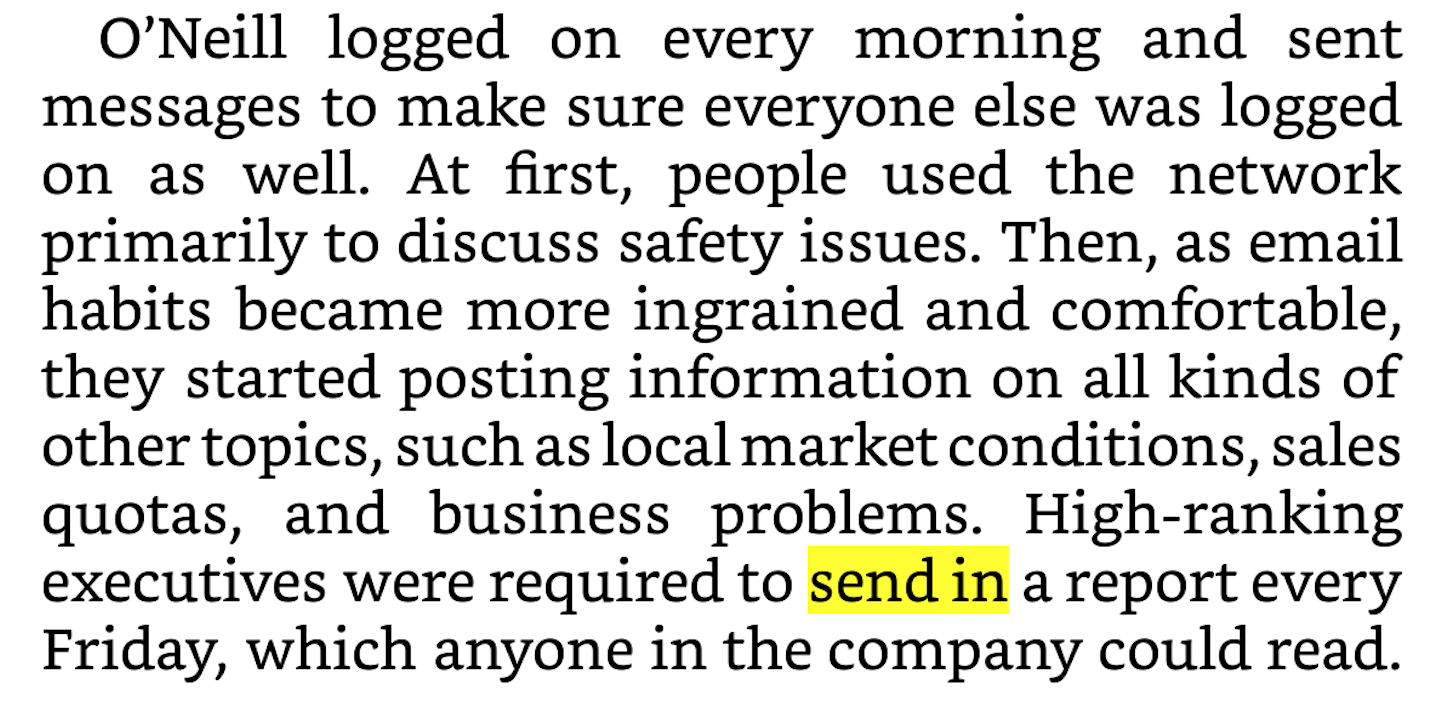 Extract from “The Power of Habit” by Charles Duhigg
What Already Existed
Before writing a single line of code, I looked at what was out there:
-
ai-dictionary-koreader — AI-powered dictionary plugin with multiple LLM support. Great concept, but it only gives you a dictionary lookup, not an Anki card. Qwen and Claude didn’t work for me even via OpenRouter.
-
anki.koplugin — Sends cards to Anki, but generates them from the internal KOReader dictionary. No AI involved—so no context-aware definitions, no example sentences, no images.
Neither did exactly what I needed, so I built my own.
The Plugin
The AnkiFlashcards KOReader plugin adds three entries to the highlight dialog:
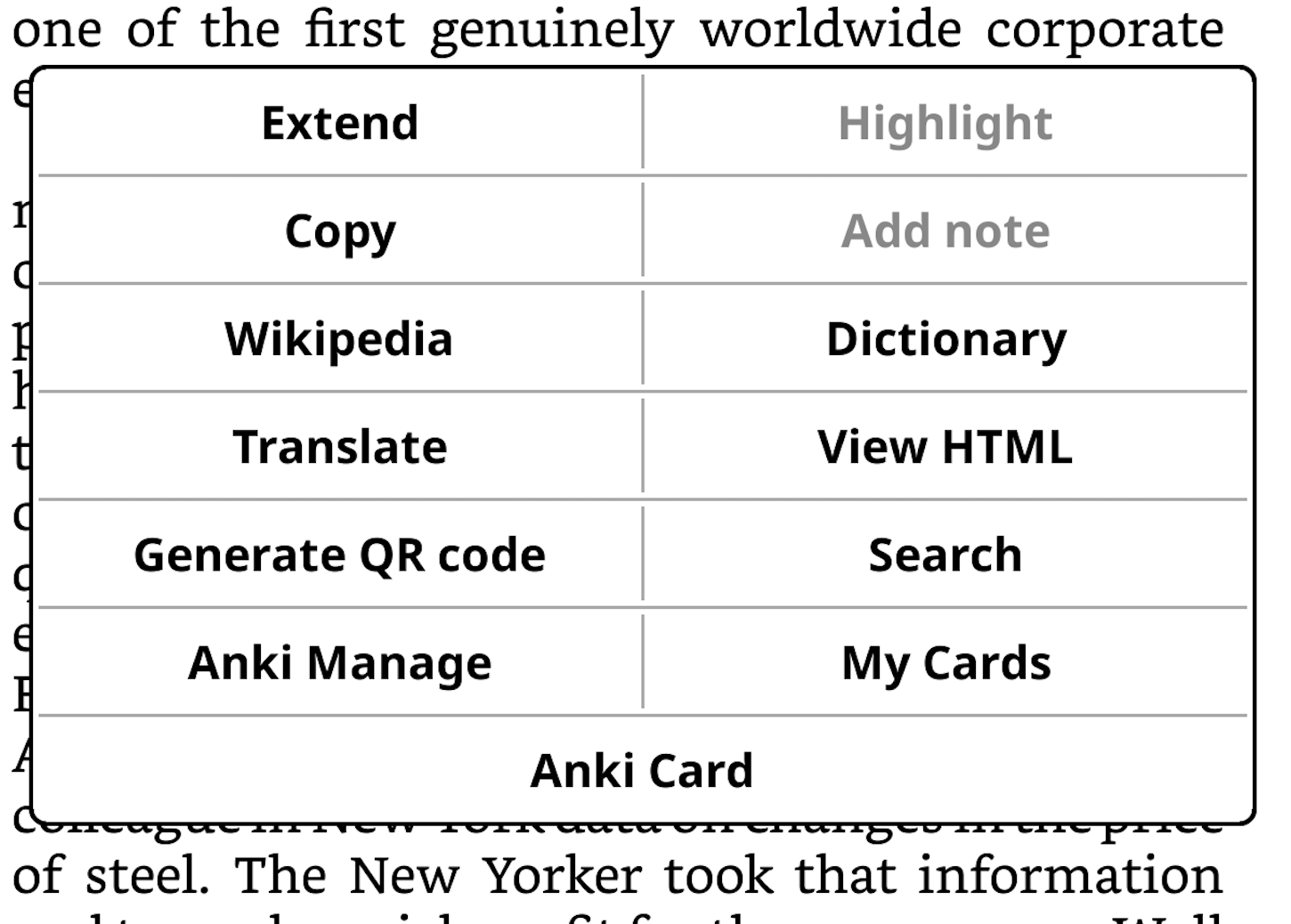
- Anki Card — the main action: generates a full flashcard for the highlighted phrase via AI
- My Cards — browse and manage saved cards, filter by book
- Anki Manage — settings, bulk send, stats, and batch import from highlights
Tap Anki Card, wait a few seconds, and the card appears:
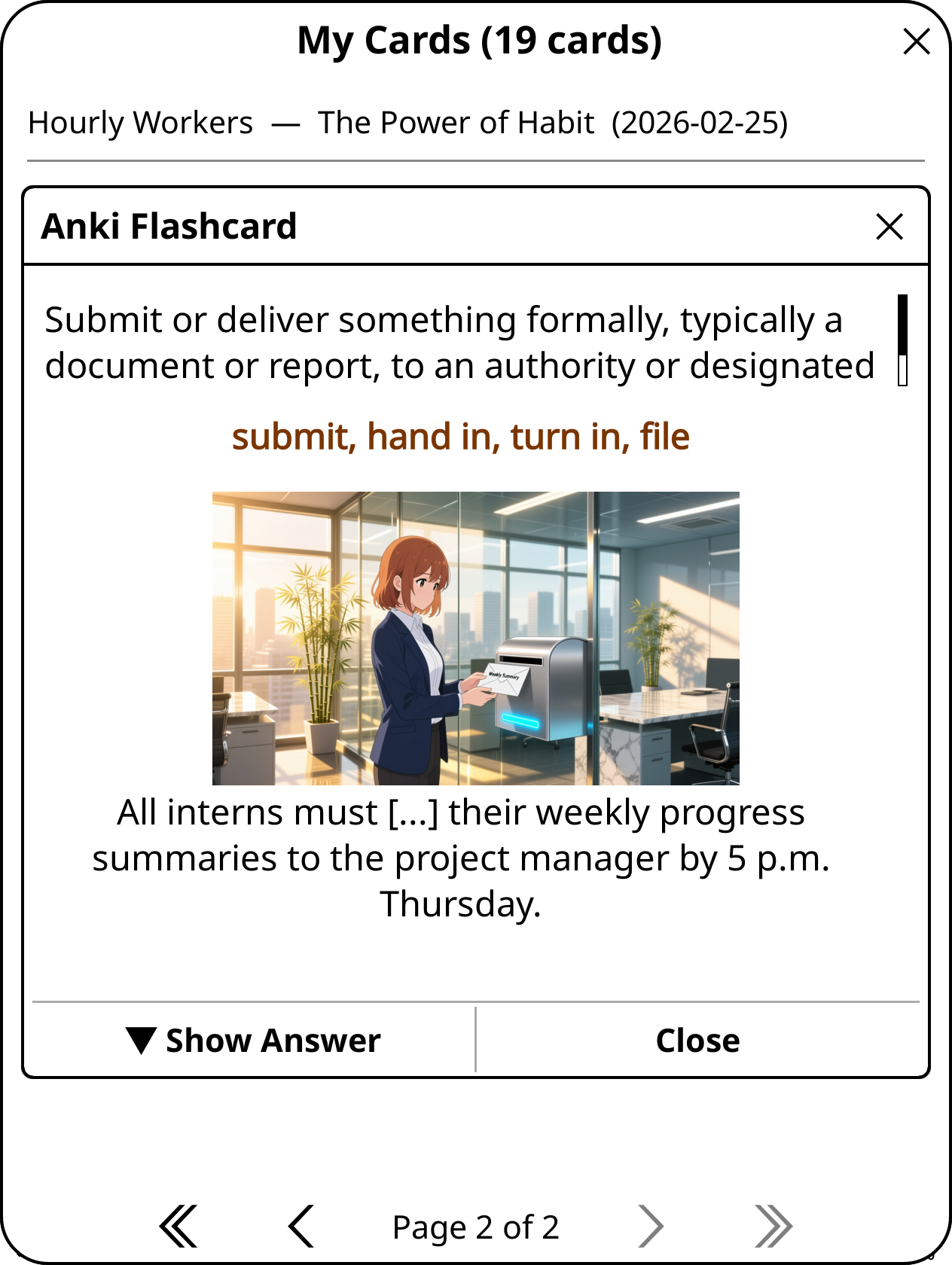
The front shows the definition and a cloze sentence—the phrase is hidden. Tap Show Answer to reveal the full card:
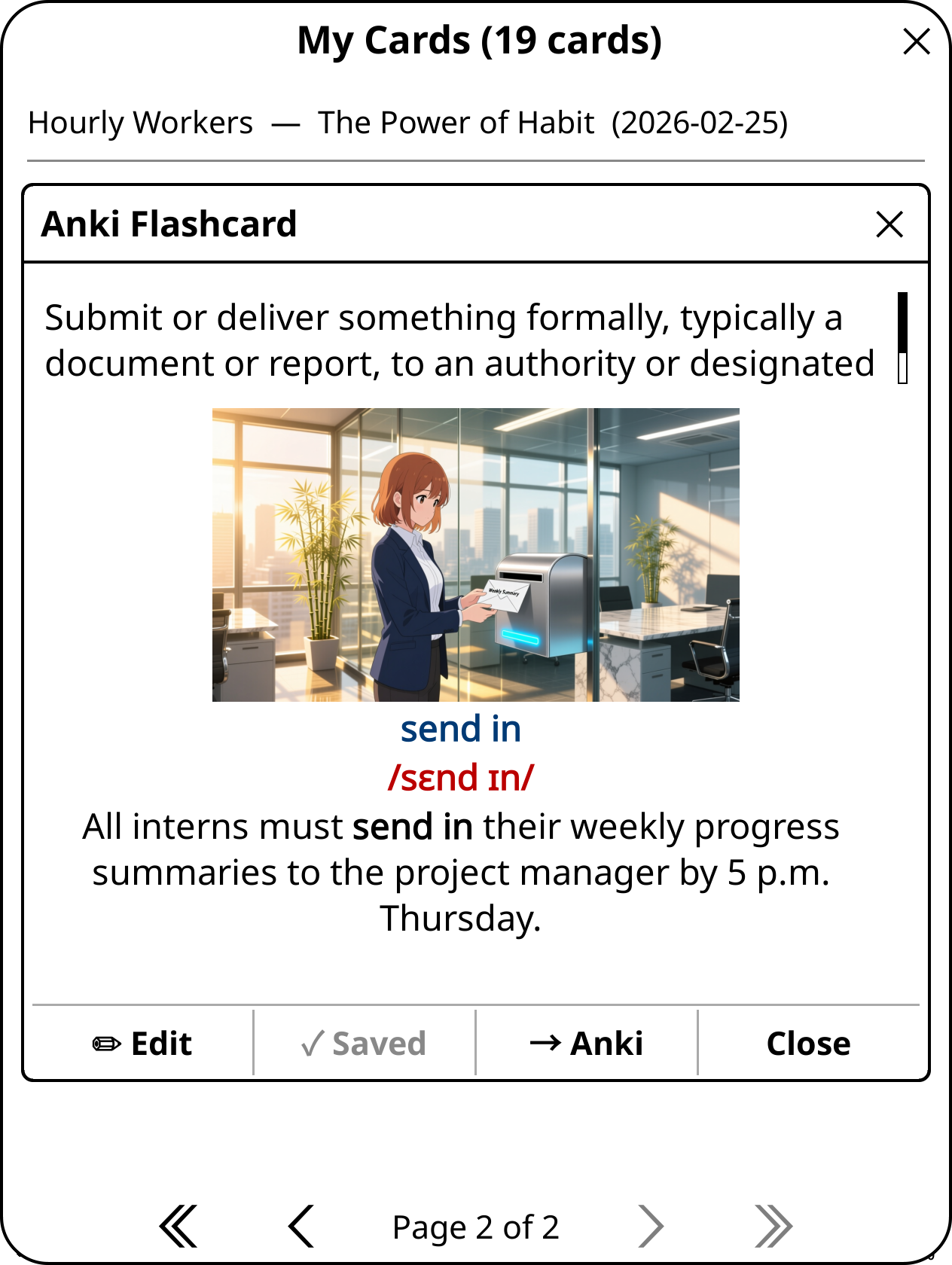
The back has the canonical phrase (normalized to base form), the American English IPA, an anime-style illustration generated from the example sentence, and the full cloze with the phrase revealed in bold.
Here’s the full flow in action:
How It Works
The plugin is a reduced version of my desktop card generator. It uses Qwen (via DashScope) for everything:
- Normalizes the phrase to its canonical form (sent in → send in)
- Generates a context-aware definition (up to 20 words)
- Produces 3–4 synonyms
- Writes a cloze example sentence using the phrase in its original form
- Creates an image prompt for an anime-style 16:9 scene
- Generates the IPA automatically
Images are generated asynchronously in the background using a separate image API call, so the card appears immediately while the image loads in.
Why This is Better Than the Dictionary
The built-in dictionary on a Kobo will give you a definition for send. It won’t tell you what send in means in the context of a corporate email culture in 1987. The AI card does—because it sees the sentence around the highlight and generates a definition grounded in that context.
Cards are saved locally on the device, and can be:
- Sent to Anki directly via AnkiConnect—synced to all your devices automatically
- Edited on the device (phrase, definition, synonyms, cloze)
- Imported in bulk from all highlights in a book at once
The template it uses is the same one from my desktop app, so cards land in Anki looking exactly the same—or can be refined there if needed.
Final Thoughts
Reading and vocabulary learning have always been separate workflows for me. I’d finish a chapter with a list of highlighted phrases and then spend time later converting them into cards—breaking the flow twice, once while reading and once at the desk.
This plugin closes that loop. The card is generated the moment I encounter the phrase, while the context is still fresh. By the time I sit down to review in Anki, the card is already there, with a definition that actually reflects why I highlighted it in the first place.
It’s a small thing, but it’s made a real difference in how I read and how much vocabulary actually sticks.
The plugin is open source and available on GitHub: github.com/lgallard/anki-flashcards-koreader